


























 Scheduled
Built for agencies, brands & teams
One calendar for all your accounts, AI captions in your voice, every comment in one inbox, and analytics that show what works.
Your first post is ready in about a minute.




Schedules, publishes and listens across25platforms























Mydrop in a few stats
views tracked
followers reached
posts managed
accounts connected
Your posts go out.
If one fails, we retry it and email you.
publish success rate
See it run · 90 seconds, no signup
Why Mydrop exists
The approval that dies on page two of an inbox. The client who signs off by voice note at 11pm. The bill that grows with every seat. None of it is strategy. All of it is your Tuesday.
 HootsuiteScheduling$399/mo
 BufferScheduling$10/mo
 MetricoolAnalytics$54/mo
 LinktreeLink in bio$35/mo
 SemrushCompetitor watch$500/mo
 Google SheetsReportsFree
 NotionContent docs$24/mo
 AirtableContent calendar$54/mo
 TrelloPost pipeline$12.50/mo
 AsanaTask chasing$30/mo
 ClickUpTask chasing$19/mo
 TodoistFollow-ups$10/mo
 ZapierAutomations$104/mo
 SlackApproval threads$18/mo
 TypeformClient intake$99/mo
 BasecampClient comms$349/mo
 DropboxAsset hunting$30/mo
 FigmaAsset handoff$55/mo
 LoomExplaining posts$18/mo
 MailchimpClient updates$350/mo
Top plan of each tool, monthly billing, one seat each. List prices, July 2026.
All of them, retired by one login.
Prove itProof #1 · the front door
One drag-and-drop calendar for every brand. Write once, adapt per network, publish to fourteen. A month queued in an afternoon.
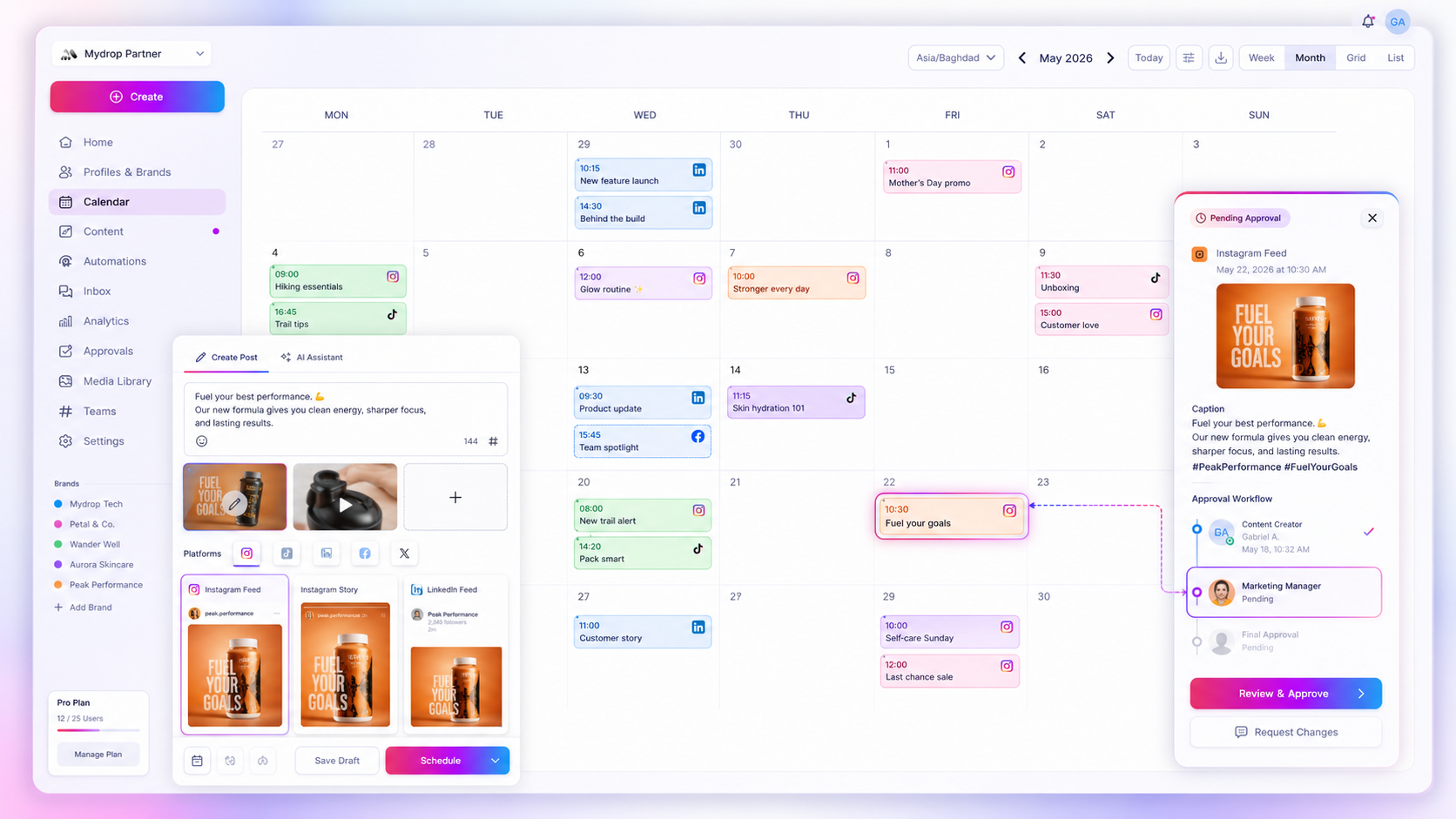
One tab. Sixteen features
Sixteen features, each one a subscription you can cancel, all talking to each other. Here are six — ten more where these came from, in the same login.
Drag Friday to Monday. Bulk it across twelve clients. Done.
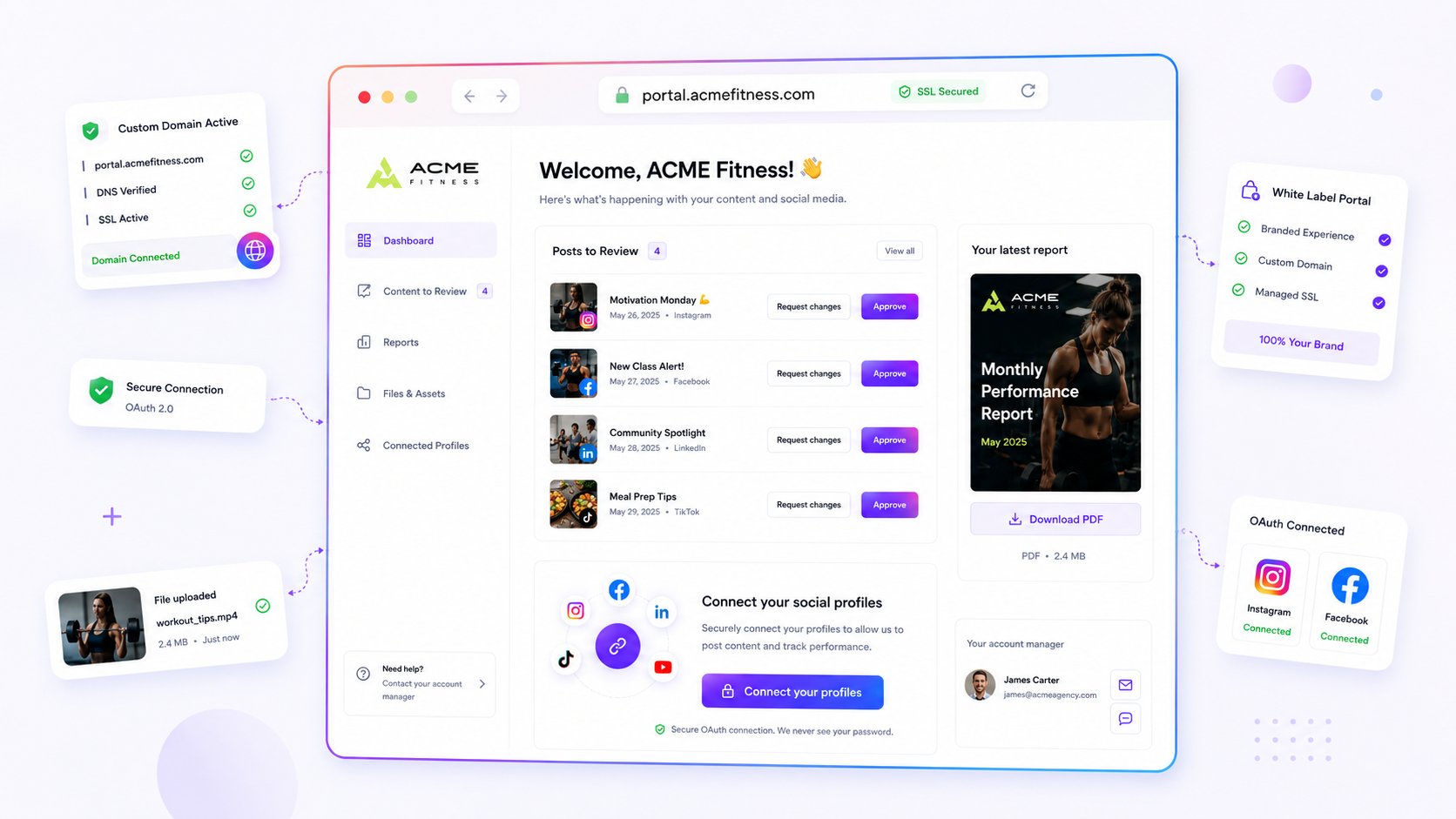
Client portalApprovals your client finishes in one tapBranded, on your domain. They tap yes on their phone. You look enormous.
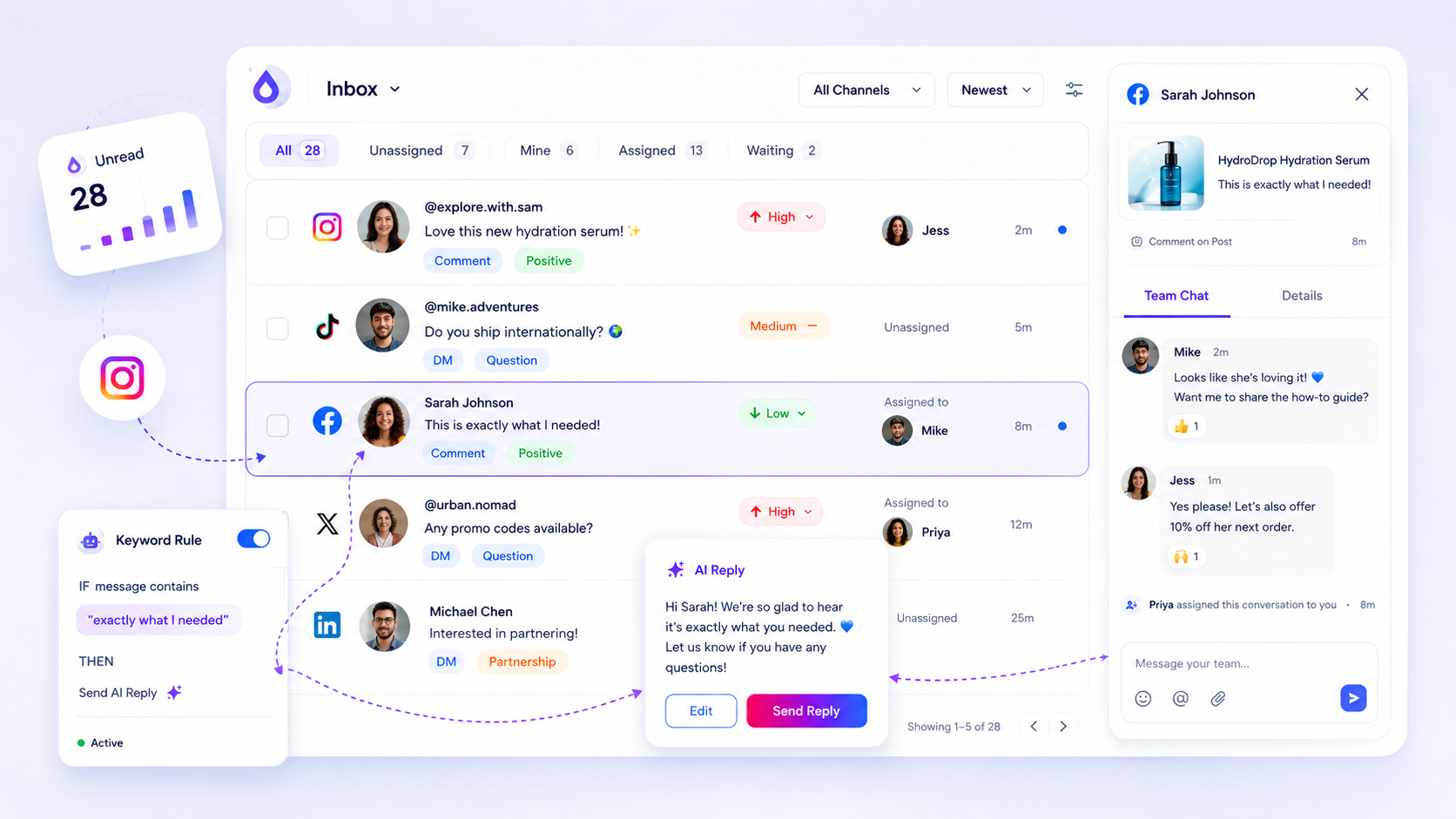
InboxEvery comment and DM, one inboxEvery comment, DM and mention in one queue. Rules clear the routine, AI drafts the rest in brand voice, you hit send.
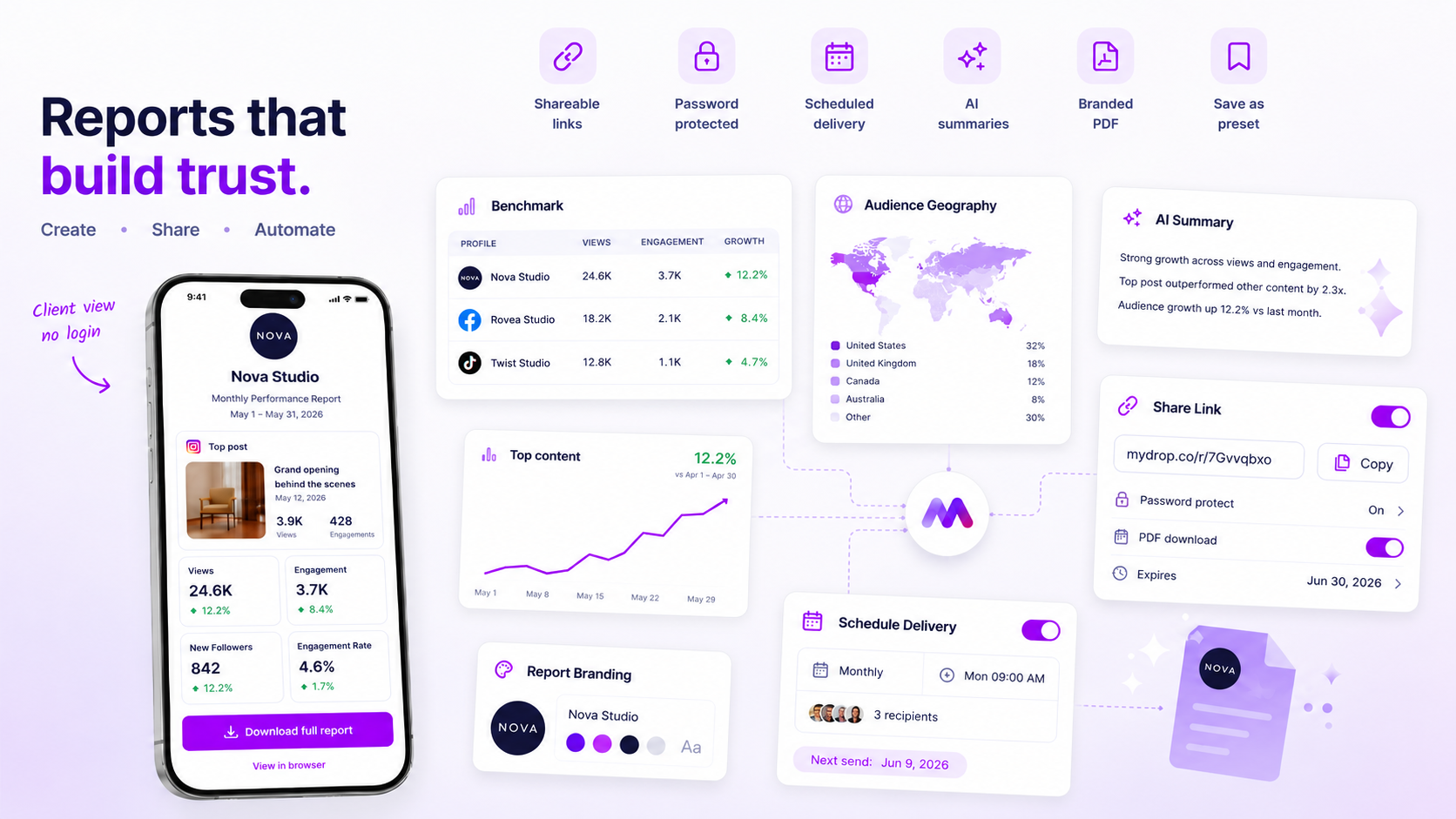
ReportsClient reports that send themselvesBranded PDFs that build and send themselves. Every month. Forever.
AI studioReal content, not captionsHooks, scripts, real images and video, in each brand's voice.
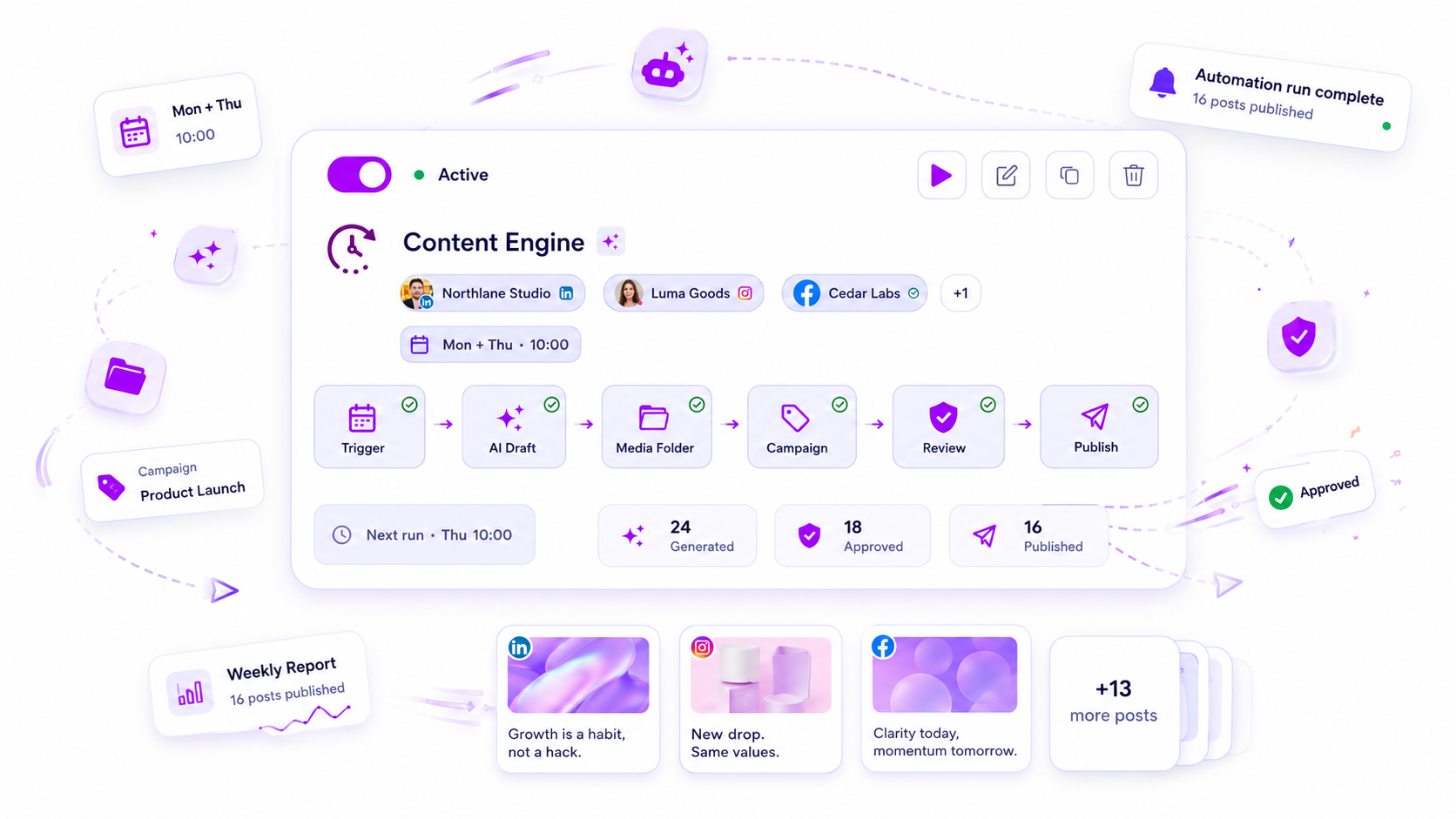
AutomationsIt keeps working after you log offRecurring content, rules, reports. You keep the veto.


Publishes and listens across Instagram, Facebook, TikTok, LinkedIn, YouTube, X, Threads, Bluesky, Pinterest, Google Business Profile, Telegram, Tumblr, and WordPress. Plus Canva, Google Drive, Dropbox, OneDrive, SharePoint, Google Photos, Google Calendar, WhatsApp, Slack, RSS, Unsplash, Pexels, and GIPHY built in.
See all integrationsWeapon #2 · one draft, fourteen networks
Same idea, fourteen native posts. Adapted per network, never copy-pasted.
Source draft
 Rivera Café9 profiles connected
New terrace opens Friday. Espresso tonic all weekend.
 terrace-01.jpgcropped per networkall selected
One draft, fourteen outputs

riveracafe☀️ The terrace is officially open Friday. Espresso tonic, all weekend long 🍊
#terraceseason #espressotonic #riveracafe
Our terrace opens Friday. One more reason for local business to happen outside, over an espresso tonic.
Book a table →
@riveracafe
Terrace opens Friday. Espresso tonic all weekend. Come sit outside.
terraceseason
Weapon #3 · the unified inbox
Every comment, DM and mention from ten networks lands in one queue.
@cafehopperloved the new blend ☕Maria Ruizcollab?@leah.mercerDo you ship to Canada?@brewnerdwhat grinder is that?Tom Vandenbergwhen does the terrace open?@dan_kwdo you do gift cards?@leah.mercerDo you ship to Canada?Auto-repliedrule: shipping@dan_kwdo you do gift cards?Auto-repliedrule: gift cardsTom Vandenbergwhen does the terrace open?Auto-repliedrule: opening hours@brewnerdwhat grinder is that?Assigned to Mayabarista questionMaria Ruizcollab?Assigned to Mayapartnerships@cafehopperloved the new blend ☕AI draft readySo glad it landed ☕ That's our Sunrise blend, fresh bags drop every Friday at 8am.
Rules and AI did the other 16. Go on, send the last one.
Weapon #4 · one-click approvals
Every post gets its own review link. Your client opens it on their phone, sees the real preview, and approves in one tap. No account, no login, no thread to dig through.
Hit send for approval. Mydrop mints a secure link for that exact post.
social.youragency.com/r/8f2c41By WhatsAppBy emailTerrace season is officially open.Instagram · Fri 09:00This is your client's screen. Go on, tap Approve.
Approved posts publish on schedule. Suggested edits land in the post's chat, never in your inbox.
Weapon #5 · bulk creation
Drop the folder. Mydrop does the rest, per network.
Landing now

 +289 profiles targeted
From the folder
Detected on upload, nothing for you to check
Each pill lands on the profile's best slot, never two of the same network back to back.
Weapon #6 · reports
Built once. Delivered every month, in your branding.
Prepared for Elena Rivera · 4 profiles · 31 days
Your logo on the cover. Ours nowhere.
Performance
vs April 2026Reach
128k
+18%
vs 108k in April
Engagement
24.6k
+9%
rate 4.1% · +0.3 pt
Followers
+1,204
+24%
best month since Jan
Reach, engagement rate, follower growth, saves & shares
Month-over-month deltas, not raw numbers
Top post this month
☀️ The terrace is officially openInstagram · Fri 12 May, 09:004.8k reach612188 saves74 sharesBest and worst post, so the next month has a plan
Assembling May's report…
Delivery
set onceSent 1st of the month, 9:00, in the client's timezone
Recipients
Shareable link that never expires
Weapon #7 · analytics
Not vanity metrics. The signals the algorithm actually rewards.
Saves and shares weighted highest, because that's what the feed reads
Best time per profile, per weekday, not one global guess
Compare any two periods, same axis
Watch-through rate on Reels, not just plays
Follower growth net of unfollows
Engagement rate per follower, not per impression
The two signals we weight above every like
Built once, then it sends itself: branded PDF, Mondays 08:00, straight to the client.
Weapon #8 · competitor watch
What they post, how often, and what is working for them.
Reading their public profiles…
Rivera Caféyou4,180 followers Bean & Bartracked9,740 followers · since Mar 4
Posts per weekPosting cadence per week, per network
211542Format mix · where their reach actually comes from
Engagement rateLikes, comments and saves ÷ reach · same 30 days
Follower growth · 30dGrowth net of unfollows, same window as yours
Hashtags they own that you never use
Share of voice on your core hashtags
you 18%of #specialtycoffeethem 47%
Their top post this month
0:22“Cold brew season starts now ❄️”, no voiceover, text hook at 0:01.1,9402123.1× their medianReel · posted Tue 07:45 · trending audioTheir top post this month, so you can reverse-engineer it.
Weapon #9 · the client portal
Clients get a workspace that looks like your agency, not ours: approvals, a thread on every post, the brand itself, and profiles they connect with their own hands.
Tue 09:00Tue 12:30Wed 18:00 Thu 08:45
Granular rights: approve without publish. Scheduling stays yours.
Terrace opening · carouselTue 09:00Rooftop tasting nightWed 18:006 posts scheduled this week, and they can open every one.
Your logo, your colors. Ours nowhere.
Default workspace, generic link
One domain, every client
social.youragency.com
Your agency's own portal
social.youragency.com
A path for each client
social.youragency.com
As many levels as you like
Rivera Café · rights
one tap, from their phone
straight into your library
One portal per client, walled from the others
Granular rights: approve without publish
No seat charge for client users
They authorise their own profiles, so you never hold a password
Weapon #10 · link in bio
Fed live by your calendar. Nobody updates it by hand.
@riveracafe
Specialty coffee · Bordeaux · open 8–18
Latest posts
New posts appear on the page automatically
Page settings
Why it's current
Espresso tonicpublished 09:00 · from the calendarLiveWaiting on the 09:00 post…
Clicks · last 7 days
Per linkClick tracking per link, not just page views
?utm_source=instagram&utm_medium=bio&utm_campaign=espresso-tonicThe people behind 57,000+ posts


“The client approval portal saved me easily 15 hours this week alone.”
Google review · 5.0
Flat pricing
Every other tool meters something: seats, profiles, workspaces, AI credits. Mydrop plans are flat, so winning a new client never raises your price.
Bring the whole team. Pro includes 5 members, Enterprise has no limit.
Captions, ideas, and rewrites are included on every plan, in each brand's voice.
25 brands on Pro, unlimited on Enterprise. Client #8 costs the same as client #1.
Same agency, month 1
1 client on the books
+$29 every time you win someone. Seats and AI credits billed on top.
Client #10 costs exactly what client #1 did. The bar never moves.
Still not sure? Ask it yourself, right hereLIVE
The same AI that runs inside Mydrop, live on this page. Give it a goal: it drafts real, ready-to-schedule posts (not text to copy-paste), shows you, and waits for your yes. Nothing ships without you.
How it works
Start free, no card. Set it up today, publish all week.
OAuth, a couple of minutes each. Clients can connect their own from the portal.
Point it at a website: voice, colors and assets become a brand home.
Calendar, approvals, inbox, reports. Import your history, start complete.
Built for
What customers say
57,000+ posts managed · 2,800+ accounts connected · 26 languages, one voice · 4.8 on Trustpilot and Google

Managing 14+ social platforms felt like a 2 a.m. nightmare until Mydrop. The AI brand-voice mapping is scary accurate, and the client approval portal saved me easily 15 hours this week alone. It's the ultimate set-and-forget workspace for busy agencies.
 Google review
A true automation tool for scheduling (and creating) social media content! It has saved me over 20 hours of work already in just my first couple weeks. A true game-changer for anyone in business, big or small!
 Trustpilot review
Finally tried Mydrop on a test client and the white-label portal on a custom domain actually looks legit, no Mydrop branding sneaking in. The OAuth setup saved me from the usual “what's my password” back-and-forth.
 Product Hunt comment
Absolute game-changer. Mydrop completely automated my content workflow. The scheduling is flawless, it actually feels intuitive, and it saved me 10+ hours in my very first week. Best decision I've made for my socials!
Google reviewMydrop AI has been an absolute game changer, it has saved me so much time and effort. It does what it promises. Easy to use, versatile, and the creator is really open to feedback. Very happy!
Trustpilot reviewI was looking through a bunch of management tools for my client, as it was getting out of control; after comparing every solution, I found Mydrop to be a no brainer.
Trustpilot reviewThis app helps me more than any other I have ever used. I've got all of my pages and accounts and I can drag and drop like I want. Mydrop has really been a huge asset to my business!
Google reviewI was looking for a scheduling tool as my clients were using more and more platforms. Mydrop does the job very well, and automations and forms are very useful and save me a lot of time. I recommend!
Google reviewLove that you baked in white-label portals from day one, that's a huge pain point for agencies.
Product Hunt commentLove this platform for scheduling social media posts! Easy and very intuitive to use! Highly recommend!
Google reviewVery nice tool, you will save a lot of time. Very easy to use, user friendly. I have used it for several months and it is very helpful.
Trustpilot reviewHelpful app if you are trying to streamline social content creation for clients.
Google reviewManaging 14+ social platforms felt like a 2 a.m. nightmare until Mydrop. The AI brand-voice mapping is scary accurate, and the client approval portal saved me easily 15 hours this week alone. It's the ultimate set-and-forget workspace for busy agencies.
Google reviewA true automation tool for scheduling (and creating) social media content! It has saved me over 20 hours of work already in just my first couple weeks. A true game-changer for anyone in business, big or small!
Trustpilot reviewFinally tried Mydrop on a test client and the white-label portal on a custom domain actually looks legit, no Mydrop branding sneaking in. The OAuth setup saved me from the usual “what's my password” back-and-forth.
Product Hunt commentAbsolute game-changer. Mydrop completely automated my content workflow. The scheduling is flawless, it actually feels intuitive, and it saved me 10+ hours in my very first week. Best decision I've made for my socials!
Google reviewMydrop AI has been an absolute game changer, it has saved me so much time and effort. It does what it promises. Easy to use, versatile, and the creator is really open to feedback. Very happy!
Trustpilot reviewI was looking through a bunch of management tools for my client, as it was getting out of control; after comparing every solution, I found Mydrop to be a no brainer.
Trustpilot reviewThis app helps me more than any other I have ever used. I've got all of my pages and accounts and I can drag and drop like I want. Mydrop has really been a huge asset to my business!
Google reviewI was looking for a scheduling tool as my clients were using more and more platforms. Mydrop does the job very well, and automations and forms are very useful and save me a lot of time. I recommend!
Google reviewLove that you baked in white-label portals from day one, that's a huge pain point for agencies.
Product Hunt commentLove this platform for scheduling social media posts! Easy and very intuitive to use! Highly recommend!
Google reviewVery nice tool, you will save a lot of time. Very easy to use, user friendly. I have used it for several months and it is very helpful.
Trustpilot reviewHelpful app if you are trying to streamline social content creation for clients.
Google reviewWhile you read this, someone's report sent itself
Give us your website and your next month is written before you finish your coffee. No card. Keep the free plan forever.
Free plan forever · No credit card · Cancel anytime
FAQ
A social media management tool is software that runs your accounts from one place instead of app by app: planning and scheduling posts, publishing to every network, handling comments and DMs, getting work approved, and reporting on what performed. Mydrop does all five, plus client portals and AI content, on flat plans.
Mydrop is a social media management tool that covers the whole job, not one slice of it. It unifies brand workspaces, content generation, approvals, publishing, the social inbox, monitoring, reports, link-in-bio pages, automations, and client portals, so the work moves through one place instead of a pile of tabs.
Better than a trial: a free plan that never expires. Create an account with no credit card, connect your profiles and publish. Everything you build stays yours, and you only upgrade when the workload asks for it. Start a yearly plan in your first week and 3 months are on us.
No. Plans are flat: team members are included (5 on Pro, unlimited on Enterprise), profiles and brands are generous plan quotas instead of paid add-ons, and AI writing is included on every plan. Only AI image and video generation has monthly allowances.
Yes. Mydrop is a direct alternative to those social media management tools. Teams usually switch when per-seat or per-profile pricing starts punishing growth, or when client approvals sit behind an expensive tier. Mydrop covers the same scheduling core, then adds brand workspaces, client portals, approvals (email and WhatsApp), reports, and a unified inbox, on flat plans. Import your post history and compare side by side on the free plan.See the tool-by-tool comparisons
Yes. Mydrop imports your post history from every connected profile, duplicates handled, so your calendar and analytics start complete instead of empty. Switching doesn't mean starting over.
Brand Lock. Any team member can focus the entire app (calendar, composer, inbox, analytics) on one brand at a time, so cross-client mix-ups have no way in.
No. Scheduling is one capability of a full social media management platform. Mydrop also includes brand workspaces, AI content, approvals, client portals, reports, link-in-bio pages, inbox rules, monitoring, automations, assets, campaigns, and collaboration. The entire workflow around the post, not just the post.
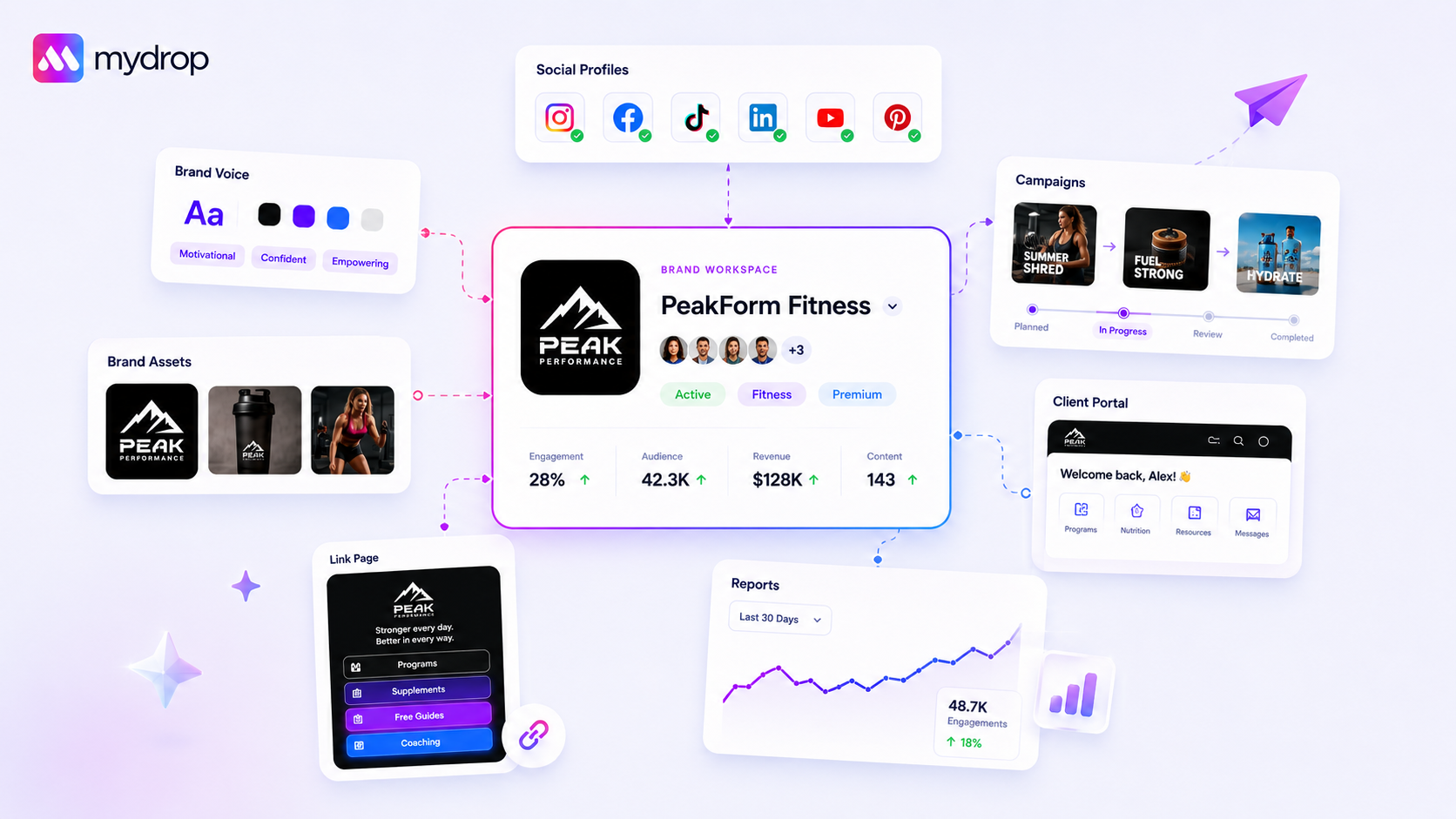
They connect through the brand. A brand's voice feeds the AI, its profiles power publishing and the inbox, its data drives reports and the link-in-bio page, and its portal gives the client a window in. Change something once and it propagates everywhere it's relevant.
Agencies, freelance social media managers, marketing teams, multi-location brands, and creators who operate like a business, anyone managing more than one profile, brand, or client.
Yes. Branded client portals let clients review posts, upload files, view reports, connect their own profiles, and chat with your team, scoped to exactly the permissions you set.
Yes, through OAuth, no passwords shared, no full app access handed out. Every profile they connect lands straight in your dashboard.
For most teams, yes. Link-in-bio pages are fed live by your Mydrop data, and reports build once then send themselves on a schedule with branded PDFs and shareable links.